Citrix has released a new version of Provisioning Services 6.1
Starting with this release, see http://support.citrix.com/article/CTX131938 to view a list of fixed issues and hot fixes since the previous Provisioning Services release.
Use Provisioning Services’ programming interfaces to manage your implementation from a command line or from scripts. Only users with correct administrative privileges can use programming commands. Non-administrators, that do not have elevated privileges and attempt to use these commands, will receive the ‘Invalid access’ message.
Three different programming interfaces exist:
Click here to download Citrix Provisioning Services 6.0 PowerShell Programmer’s Guide
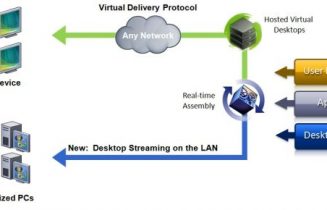
Citrix announces the availability of Provisioning Services 6.0. This release is significant as it moves beyond single image delivery into single image management. Users of Provisioning Services already know the huge impact streaming a single shared disk image has on the cost and effort of managing virtual desktops and XenApp farms.
New in this Release
Click here to download Citrix Provisioning Services 6.0
Click here to learn more from the Citrix Blog about the release
Provisioning Services 6.0 PowerShell Programmer's Guide
Provisioning Services 6.0 adds new features that enhance your ability to manage and deploy shared vDisk images.

These new features include:
Please refer to the Release Notes for more information about known bugs and other limitations.
The Provisioning Services 6.0 Beta provides an early opportunity to try out these new features.
Click here to learn more and download ( requires a valid mycitrix.com account )
This hotfix provides a patch to the Citrix Provisioning Services 5.6 SP 1 management console, adding two new wizards to the Site context menu. The first is an updated version of the XenDesktop Setup Wizard, compatible with XenDesktop 5 that automates deployment of collections of streamed virtual desktops. The second is a new Streamed VM Setup Wizard that provides similar functionality for the deployment of other types of streamed VMs, including XenApp servers.
First install or upgrade to Citrix Provisioning Services 5.6 SP 1 and apply the appropriate installer for this enhancement to the Citrix Provisioning Services console.
The release folder includes the 6 files:
For 32bit Windows installations:
ConsolePatch.msp
ServerPatch.msp
Host.PowerShellSnapIn.msi
For 64bit Windows installations:
ConsolePatch_x64.msp
ServerPatch_x64.msp
Host.PowerShellSnapIn_x64.msi
For standalone Citrix Provisioning Services Console installations run the appropriate ConsolePatch msp
For Provisioning Services Server installations run the appropriate ServerPatch msp
Click here to learn more and download this hotfix
![]()
Connect on Twitter