
• Home
  • Podcast
  • Contact
Ervik.as
Cloud, Cyber Security, EUC, DaaS and HCI
  • Cloud
    • Azure
    • Citrix Cloud
    • Cloud Management
    • Nutanix Clusters
  • Cyber Security
    • Arctic Wolf
    • Cyber Security News
  • EUC
    • Citrix
      • Citrix Analytics
      • Citrix NetScaler
      • Citrix Provisioning
      • Receiver
      • ShareFile
      • Citrix Virtual Apps (XenApp)
      • Citrix Virtual Desktops (XenDesktop)
      • Workspace
      • Workspace app
    • DaaS
      • Azure Virtual Desktop
      • Frame
    • Microsoft
      • HoloLens
      • Microsoft App-V
      • Remote Desktop Services
      • Windows 7
      • Windows 8
      • Windows 10
      • Windows Server 2008
      • Windows Server 2008 R2
      • Windows Server 2012
      • Windows Server 2012 R2
      • Windows Server 2016
    • Thin Clients
      • Igel
      • Wyse
    • VMware
      • Fusion
      • Horizon View
      • Vmware ThinApp
      • Vmware Workstation
    • Parallels
      • Remote Application Server
  • End User Experience
    • ControlUp
    • eG Innovations
    • Goliath Technologies
    • Liquidware
  • Datacenter
    • Backup & Disaster Recovery
      • Altaro
      • HYCU
      • Unitrends
      • Rubrik
      • Veeam Software
    • Containers
      • Docker
      • Red Hat OpenShift
    • Hybrid Multi Cloud
      • Nutanix
        • Nutanix Database Service
        • Files
        • Flow
        • Nutanix AHV
        • Nutanix Cloud Platform
    • Server Virtualization
      • Nutanix AHV
      • Microsoft Hyper-V
      • VMware vSphere
      • Citrix Hypervisor (XenServer)
    • Network & Security
      • Nutanix Flow
      • Palo Alto Networks
  • About
    • Cookie Policy (EU)
    • News
      • Citrix Community News
login

The GiDWiM Guide

A review of mycitrixcloud.net aka Citrix Virtual Computing Demo Center

Alexander Ervik Johnsen Aruba, Citrix, Citrix Demo, Citrix Receiver, Citrix Receiver for iPad, Cloud Computing, Demo Center, mycitrixcloud, Provisioning Services, SoftLayer, Virtual Desktop, Virtualization, XenClient Demo, XenDesktop, XenDesktop 4 Demo, XenDesktop 5 2010-10-20

Doing demos of products is my job, I travel around all the time doing demos and showing mostly Citrix demos.
Today, was no exception and as I was hooking up my gear, XenClient, regular laptop, ipad and iphone, I found out that the stupid hotel broadband needed logon credentials, which is common…
I did not turn on my Citrix Access Gateway before traveling today, and thus I had to work with the backdoor to the demo center, which is a F5 Firepass solution, well, that did not work great! So, the little Aruba box that I travel around always fixes the tunnel for me, but it uses regular IPSec and just won’t work when the Internet Connection requires a logon.

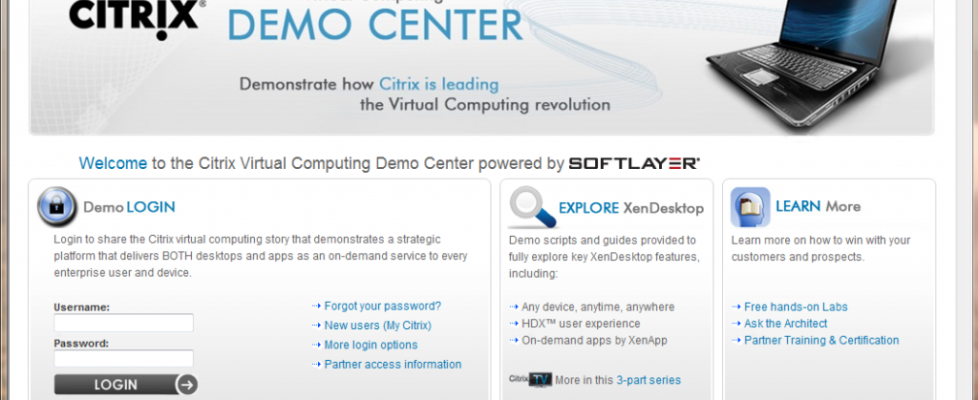
Enter mycitrixcloud.net! This solution saved my day, it’s so good that I decided to do a little review of it, right away!

First thing you need to do is to put up your browser( I used IE ) since I’m not sure if it supports FireFox, Opera or Safari for that matter…

Log On with a valid MyCitrix.com account!
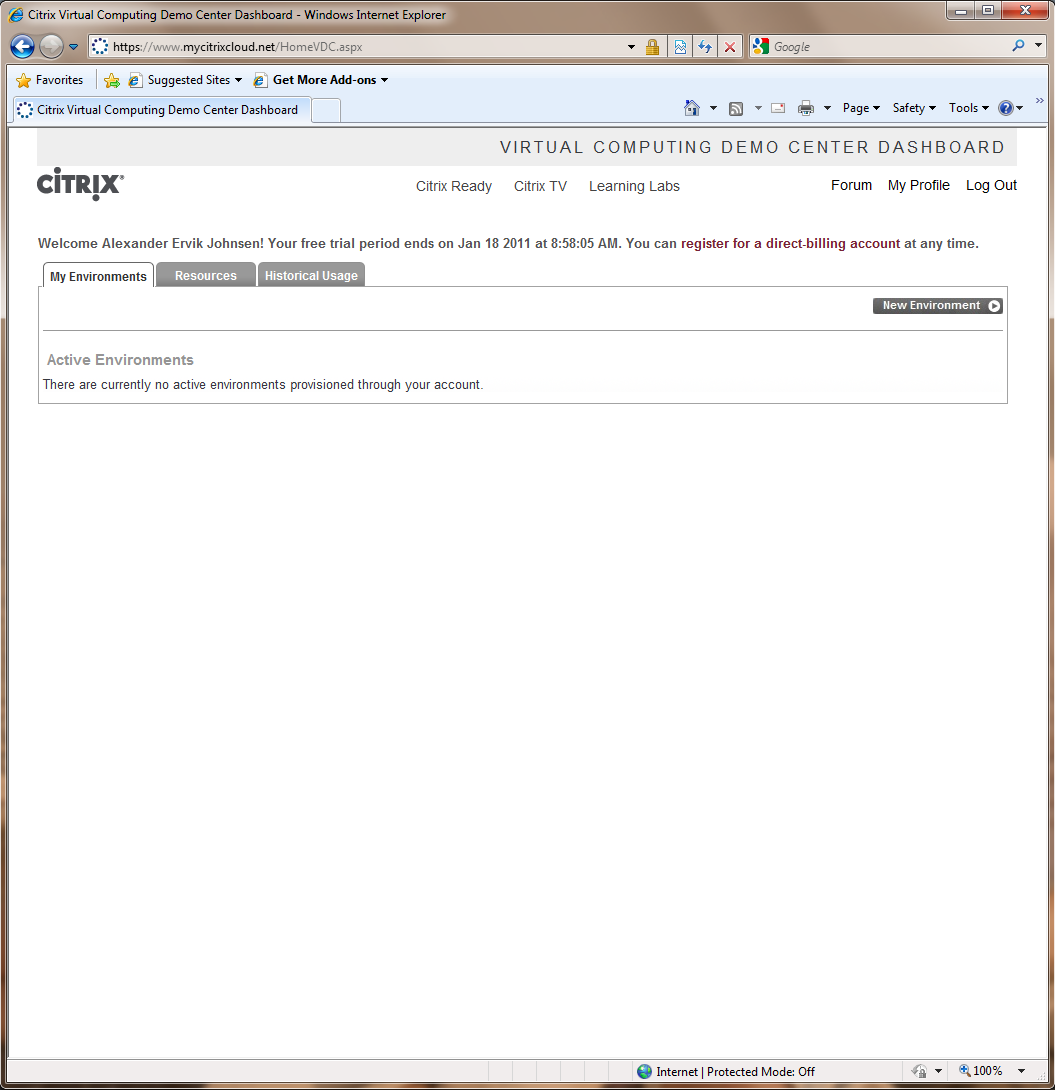
After logging in you are presented with a easy to use Dashboard. It shows current activity.
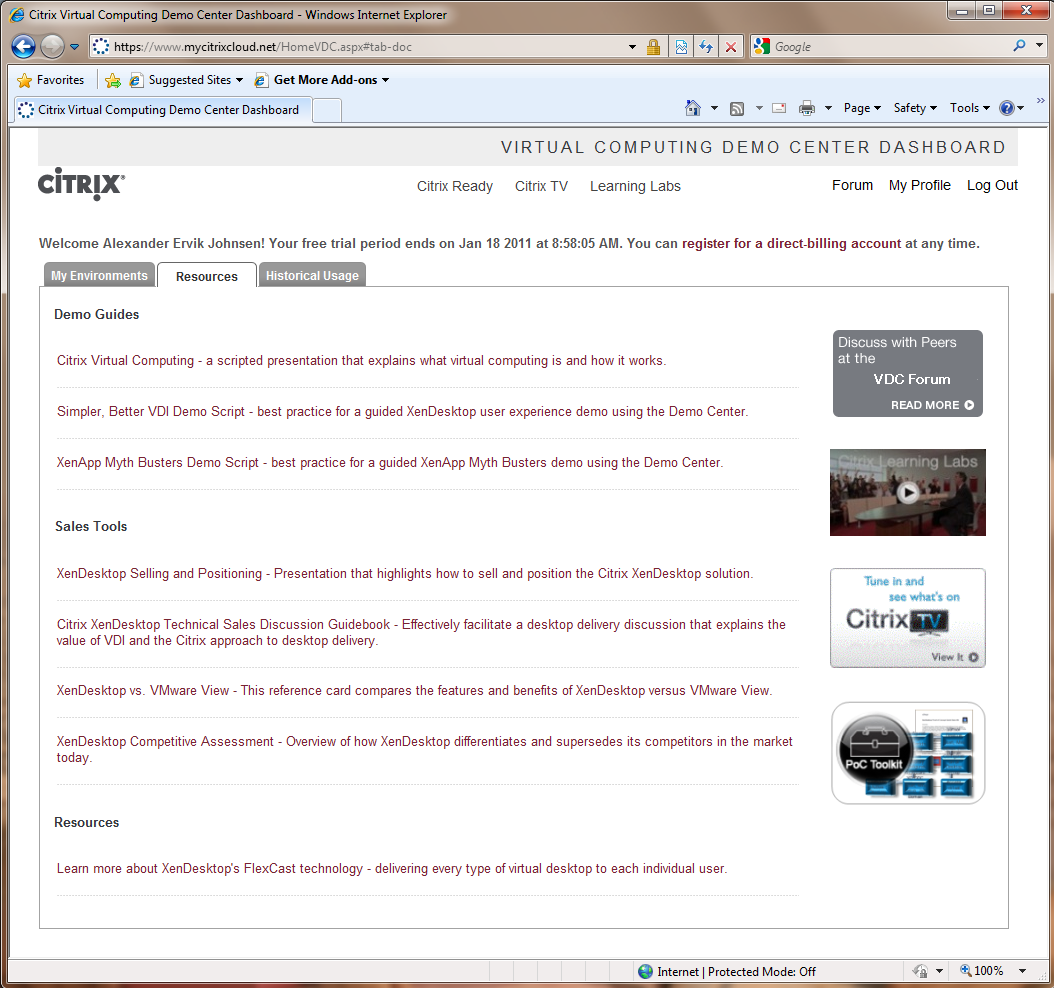
The Dashboard also features a good deal of Resources and Tools, for you to read. Thumbs up for this, because it’s actually relevant information!
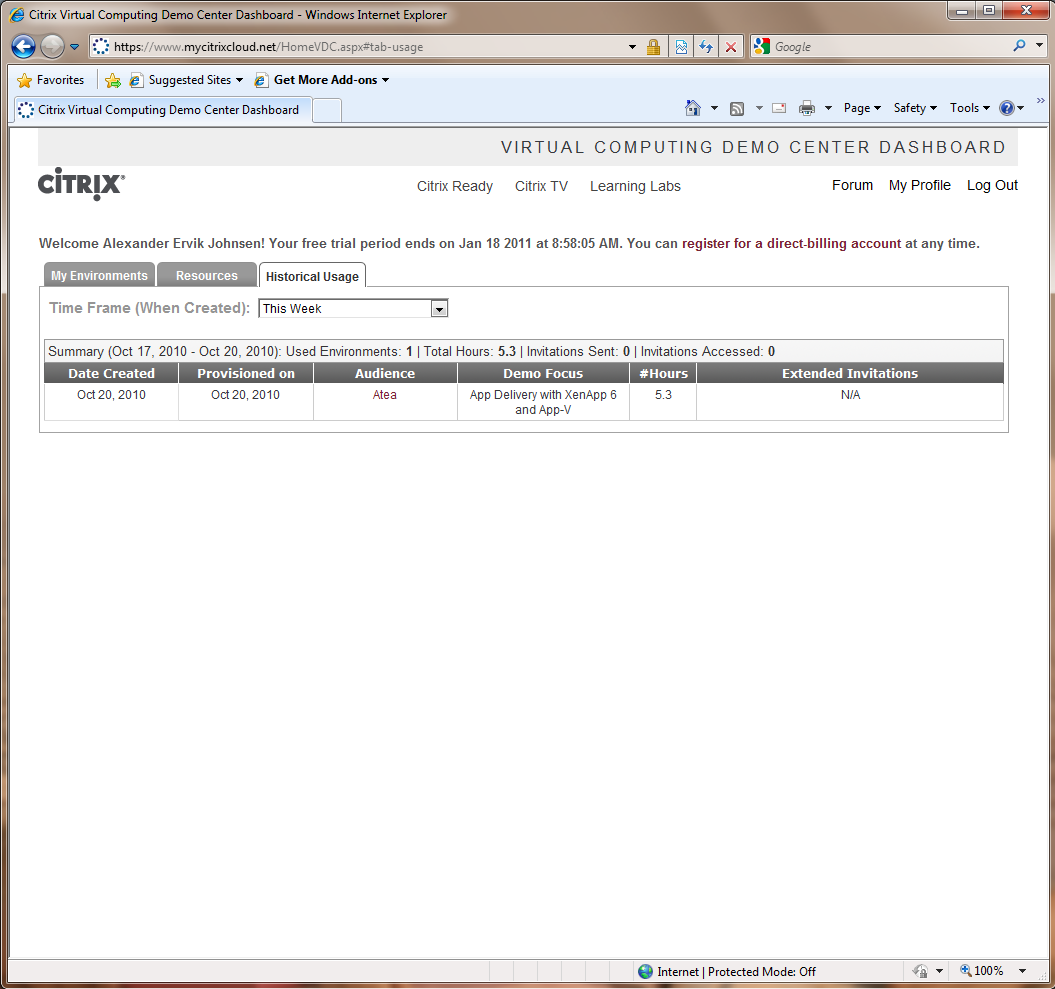
There is a Historical Usage overview, to see different types of usage over time.
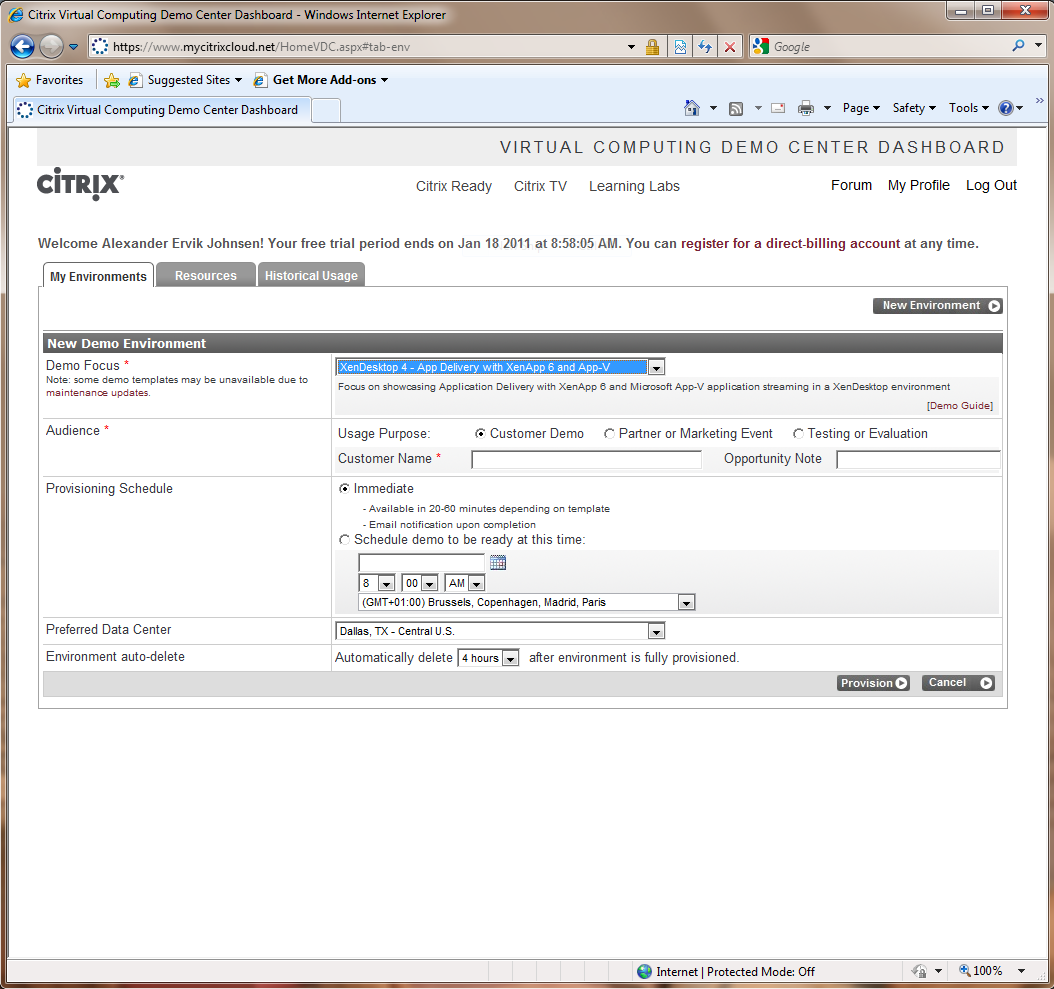
To Setup a new demo environment, simply Click on New Environment and fill out the required information. Choose XenDesktop 4 etc… if you want to demo XenDesktop 4, App-V and XenApp 6.
Another cool thing for me that lives in Norway is that I can actually show a Demo with latency, meaning that I can choose between 3 different Data Centers in the US.
Latency from Oslo to the Washington Data Center is around 120 ms.
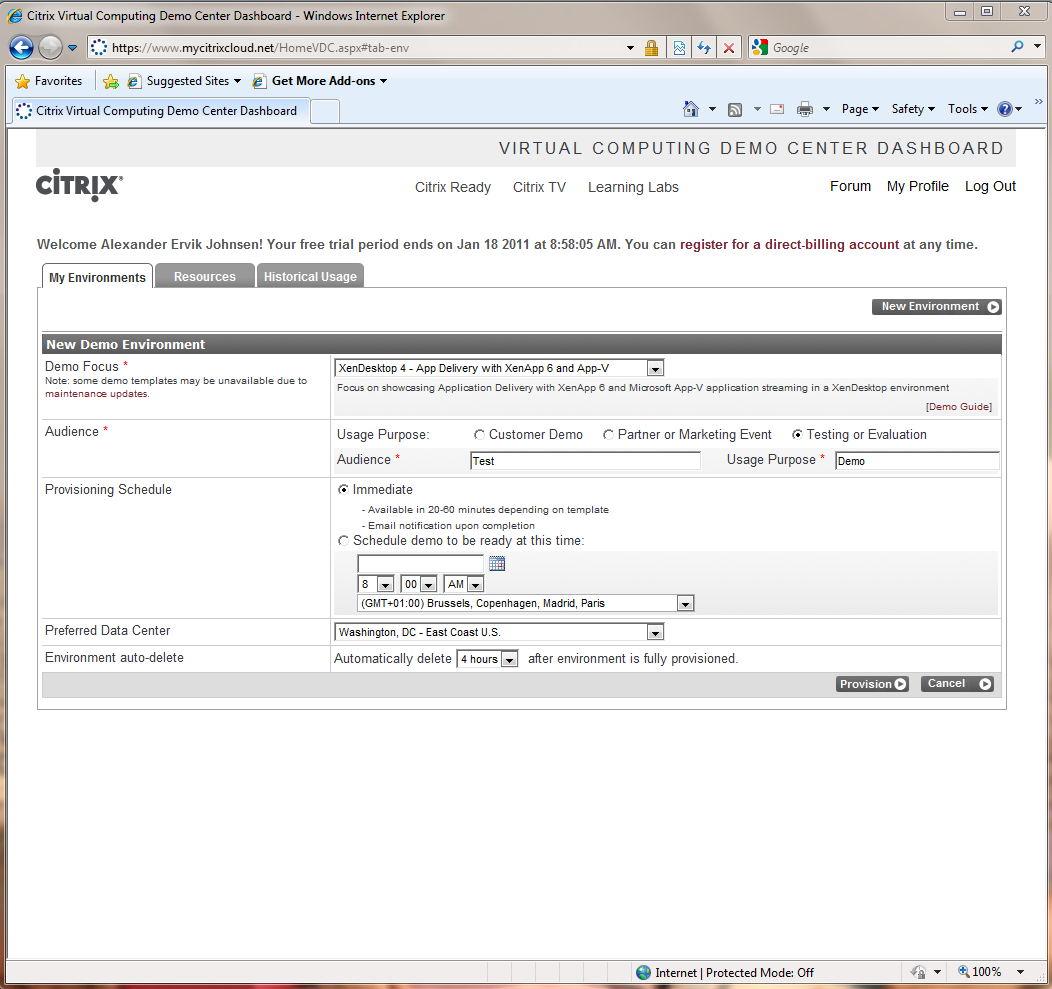
So in the review I choose to use the Washington Data Center and have the demo automatically delete after 4 hours. There you can choose from different hours and up to 2 days duration.
After the input that is nescessary to start,  Click on the Provision button to start building the demo environment. Depending on the Provisioning Schedule it takes around 20-30 min to complete, which was the case for me.
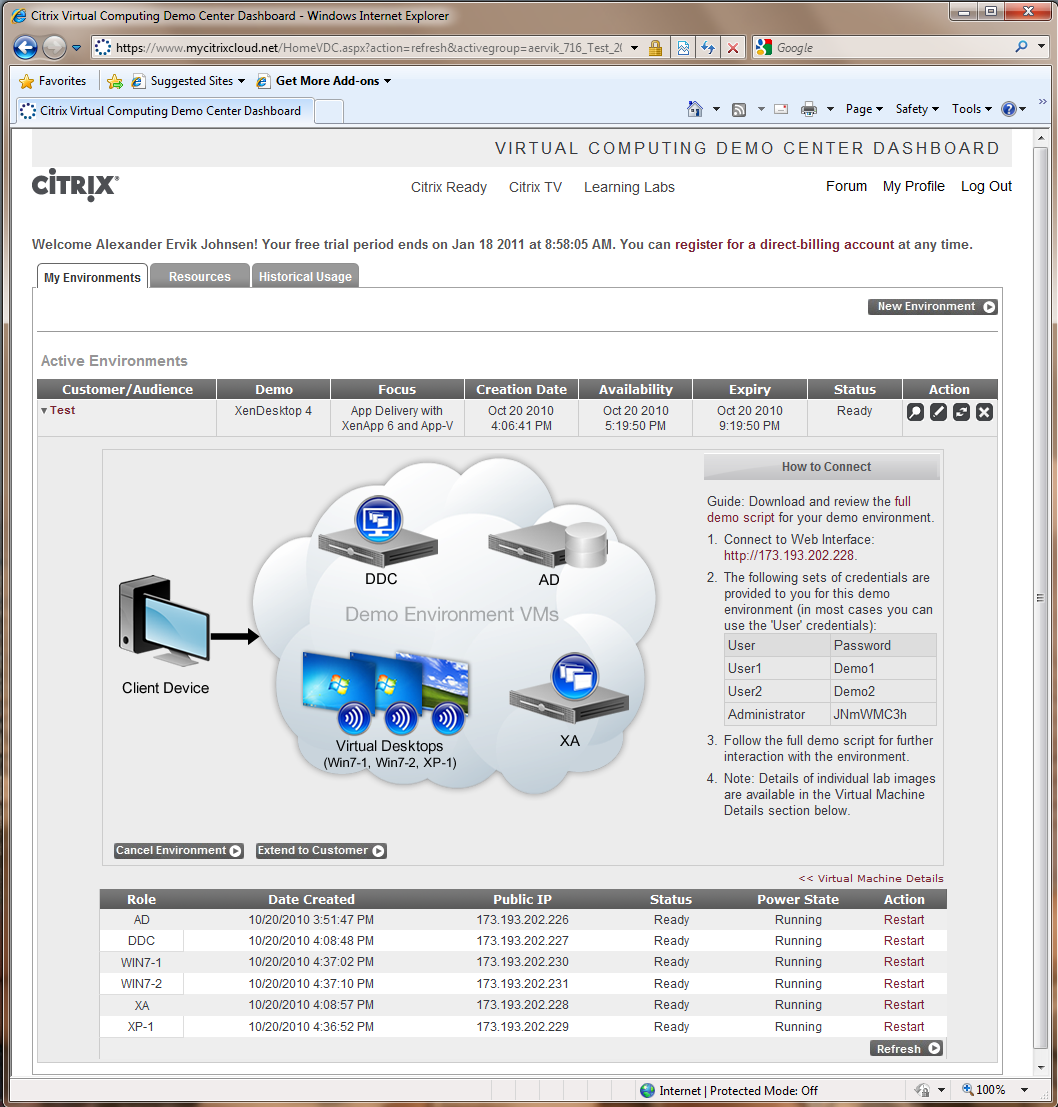
Once it’s finished it looks like this, and you will also get an email with connection instructions, these are also shown here.

This really saved my demo day, and the customers got a great show, with XenDesktop 4 over the Atlantic with Citrix HDX showing HD movies with Pink Floyd from YouTube and other applications.

Ervik.as gives the MyCitrixCloud.net 9/10 – minus for build time, but heck, I can wait 20 min Laughing

Related Posts

The GiDWiM Guide /

IBM Lotus Notes and Lotus iNotes 8.5.2 on Citrix XenApp 4.5/5.0

The GiDWiM Guide /

Overview of troubleshooting tools for Citrix

How to enable Windows 7 Theme in Citrix XenApp 6

The GiDWiM Guide /

How to enable Windows 7 Theme in Citrix XenApp 6

XenApp and Terminal Server GPO Download

The GiDWiM Guide /

Citrix XenApp 6 Tuning admx Group Policy for Windows 2008 R2

The GiDWiM Guide /

A quick ABC guide for Virtualization

‹ Wyse Delivers Lowest Cost Desktop Virtualization for Education with Shared Resource Computing Implementation at San Francisco Public School› DataCore Showcases Storage Virtualization Benefits at Virtualization World 2010

Back to Top

Crafted in the land of the Vikings 🇳🇴 by Alexander Ervik Johnsen.
Copyright 2000-2025 - www.ervik.as - All Rights Reserved